
Updated
Save and load layouts
Keep more than one desk arrangement and switch between them.
The Layouts block at the bottom of the Window Catalog rail shows the layout you’re on and three actions.
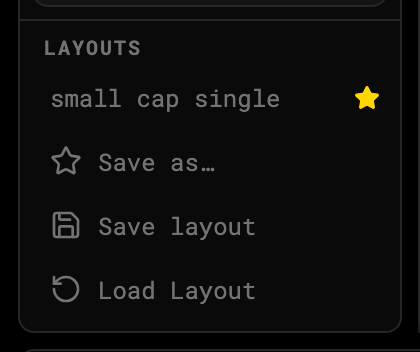
1 · Current layout2 · Save a new one3 · Switch
Built-in preset
small cap single ships with the desk: Stock Quote, Orders, Positions, Order Entry and four synced charts (5m, 10s, 1m, daily). It’s the default for every new account and is always on the load list — you can’t delete it.
Save your own
- Arrange the windows the way you want.
- Click Save as…, name it, confirm.
- From then on Save layout overwrites that named layout with the current arrangement.
Load
Click Load Layout and pick from the list. The current session keeps running — only the window arrangement changes.
Layouts vs chart templates
A layout is the whole desk. A chart template is one chart, by name, that you can load into any chart window.
| Layout | Chart template | |
|---|---|---|
| Which windows are open, and where | ✓ | — |
| Timeframe, chart type, chart settings | ✓ per window | ✓ |
| Indicators | ✓ per window | ✓ |
| Drawings | — | ✓ |
| Pane heights, magnet, lock and hide | ✓ per window | — |
| Saved | automatically, and by name | by name (⌘+S) |
Was this article helpful?
Related articles
- Panels and the Window CatalogOpen, close, tab, split and resize the windows that make up the desk.
- Pop out windows to a second monitorBuild a real OS window from any set of panels and drag it across monitors.
- Chart templatesSave a chart — timeframe, type, settings, indicators and drawings — by name, and load it onto any chart.