
Updated
Default hotkeys
The six trading bindings every account starts with, the chart key, and the drawing keys.
One press, one order. Hotkeys fire against the live NBBO the instant you press them — no ticket, no confirmation.
| Key | Action |
|---|---|
| F1 | Buy $500 at Ask + 0.05 |
| F2 | Short $500 at Bid − 0.05 |
| F5 | Close 50% of the position at Bid |
| F6 | Close 100% of the position at Bid |
| F7 | Cover 100% of a short at Ask |
| Esc | Cancel all working orders |
“$500” is a dollar size: the desk converts it to shares at the anchor price when you press.
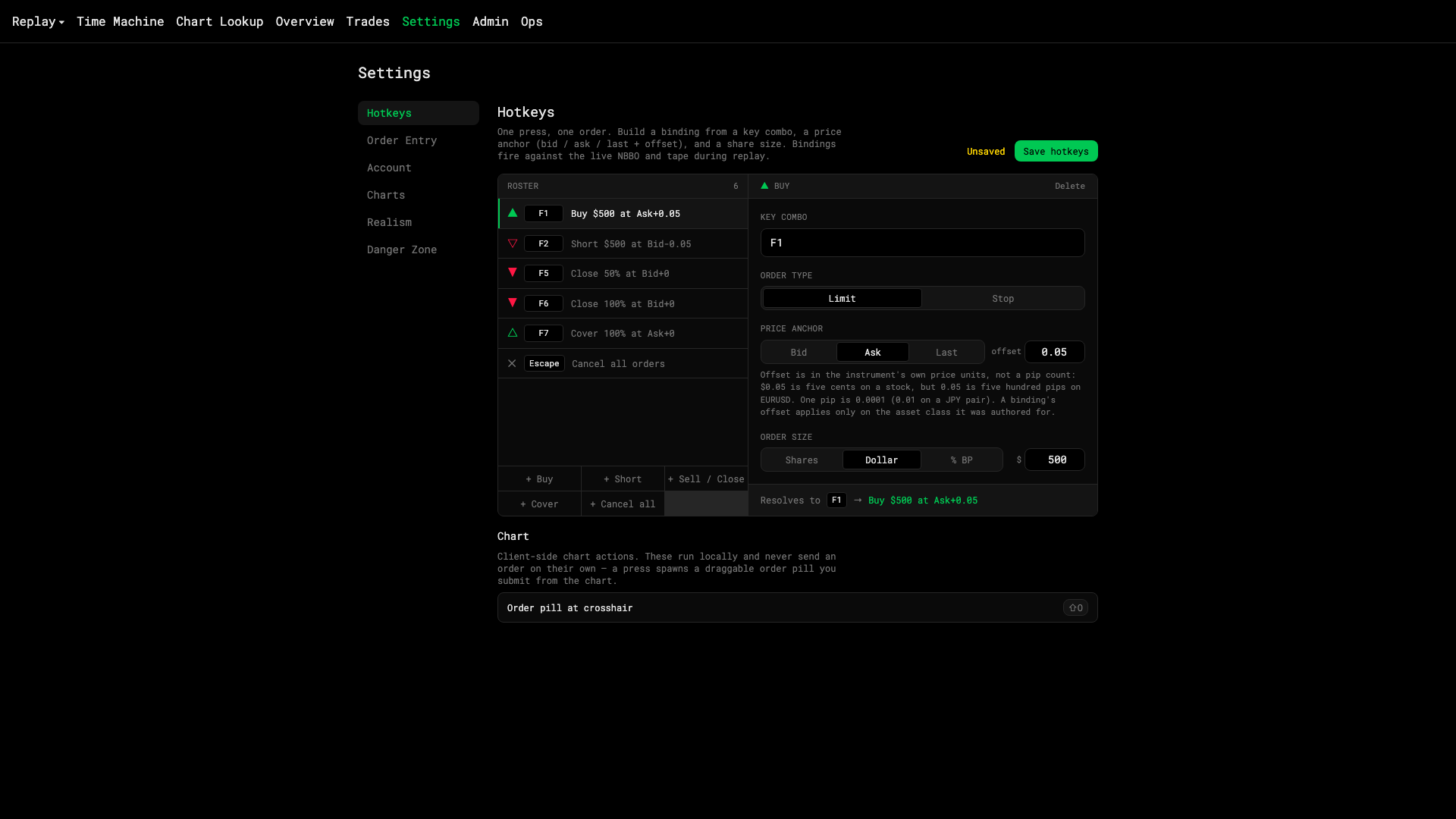
- Your bindings
- Add a hotkey
- Edit the selected one
- Save
Changing them
Everything in the table is editable — key, anchor, offset, size — under Settings → Hotkeys. See Build a custom hotkey.
The chart key
| Key | Action |
|---|---|
| Shift+O | Order pill at the crosshair. Never sends by itself — you submit the pill. |
It’s listed under Settings → Hotkeys → Chart and can’t be rebound. It needs Chart trading switched on; see Trade from the chart.
Drawing keys
Option+T trend line, Option+H horizontal line, Option+F Fib retracement and a few more place drawing tools. They’re fixed and don’t appear in Settings — the full list is in Drawing hotkeys, magnet and favorites.
Was this article helpful?
Related articles
- Build a custom hotkeyKey combo, order type, price anchor and offset, size mode — saved to your account.
- Trade from the chartArm an order with Option-click or Shift+O, drag it to price, and nudge working orders a tick at a time.
- Drawing hotkeys, magnet and favoritesArm the common tools from the keyboard, snap anchors to the bars, and keep the tools you use on a strip.