
Add indicators
122 indicators on the stocks desk — search, star your favorites, and see which ones each desk offers.
Click Indicators in the chart toolbar to open Indicators, metrics, and strategies.
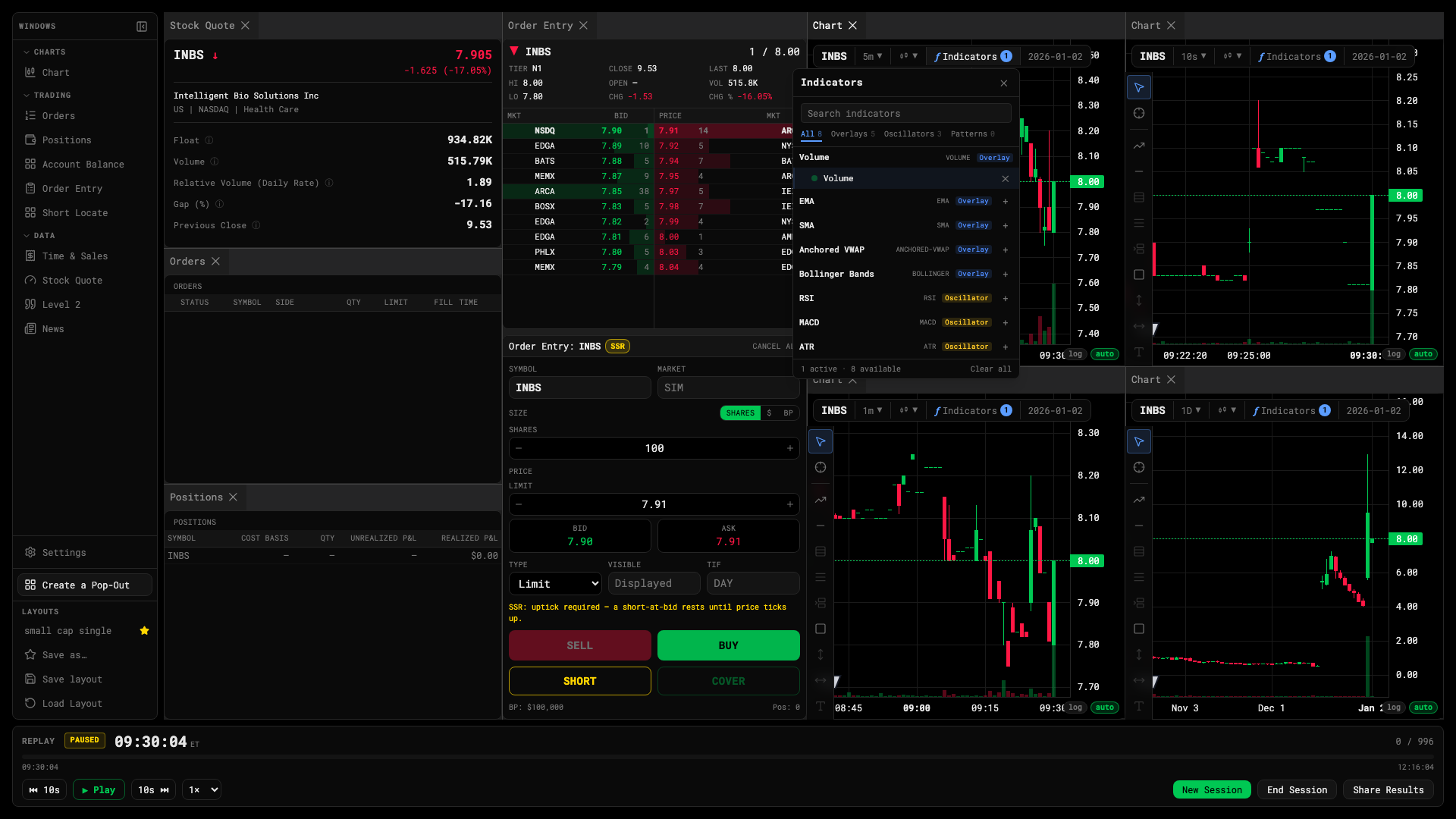
- Search by name or alias
- Your starred indicators
- Click to add; the dialog stays open
- Star to favorite
Find and add
- Start typing — the search box is focused when the dialog opens. Exact matches rank first, so BB finds Bollinger Bands before BBTrend. Common short names work too: RVOL, ADX, Stoch.
- Click a row to add it. The dialog stays open for the next one; click outside it when you’re done.
- Click the ☆ on a row to keep it under Favorites in the left column. Technicals lists everything.
What’s in the catalog
Moving averages, oscillators, momentum, trend, volatility, volume and levels — from EMA, VWAP and RSI to Ichimoku, Supertrend, premarket high/low, opening range and volume profile.
Each desk only offers what its data can back:
| Desk | Indicators | Left out |
|---|---|---|
| Stocks | 122 | Tick Delta and Cum Tick Delta — they count quote ticks, a forex-only tape |
| Futures | 120 | The two tick-delta indicators, plus VWAP and Anchored VWAP |
| Forex, gold and silver | 103 | Both VWAPs and every indicator built on traded volume |
On forex, Volume is renamed Tick count: a currency pair has no consolidated volume, so the desk counts quote updates and says so.
VWAP
VWAP is the plain session VWAP, anchored at the 09:30 open. Turn on σ Bands in its settings for ±1σ and ±2σ bands. Anchored VWAP is its own indicator and starts from the 04:00 premarket session by default.
Change an indicator
Hover its row in the legend and click the gear. Inputs and Style preview live; Cancel puts it back. See Read the legend.
Per chart, per layout
Indicators belong to the chart window they’re on. Two charts can carry different sets; the saved layout brings them back, and a chart template carries them to any chart.
Was this article helpful?
Related articles
- Read the legendThe values under your crosshair, one row per indicator, and the buttons that hide, edit and remove each one.
- The chart windowThe toolbar, timeframes, the legend, the bottom bar and the drawing rail — where everything on a chart lives.
- Chart templatesSave a chart — timeframe, type, settings, indicators and drawings — by name, and load it onto any chart.