
Updated
Appearance — theme and motion
Dark, light or system theme, and turning off the quote board's tick flash.
Settings → Appearance
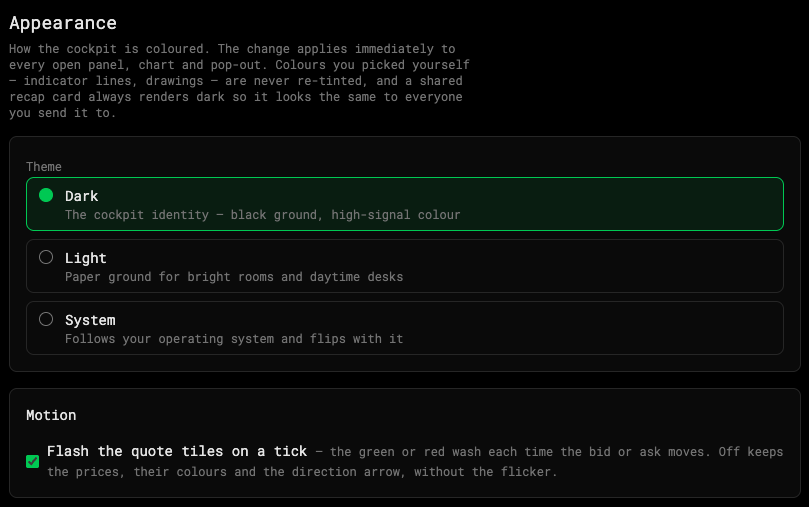
- Theme
- Quote tile flash
Theme
Pick Dark, Light or System (follow your computer). The change applies at once to every open panel, chart and pop-out — no reload.
- Colors you chose yourself — indicator lines, drawings — are never re-tinted.
- A shared recap card always renders dark, so it looks the same to everyone you send it to.
Motion
Flash the quote tiles on a tick — the green or red wash on the quote board each time the bid or ask moves. On by default.
Turn it off and the board keeps its prices, their colors and the direction arrows, without the flicker. Useful on a fast tape or at 10× speed.
Was this article helpful?
Related articles
- Account preferencesMax loss, starting balance, default latency and chart timezone.
- The top-of-book quote boardOn forex, gold and silver, and futures, a bid and ask board above the ticket replaces the Level 2 montage.
- Latency profilesChoose how far away your broker is — and how much every order costs in time.