
Place your first order
The Order Entry ticket — size, price, type, and the four buttons.
The ticket works like a Lightspeed or DAS order entry window. Load a price, set a size, press a side.
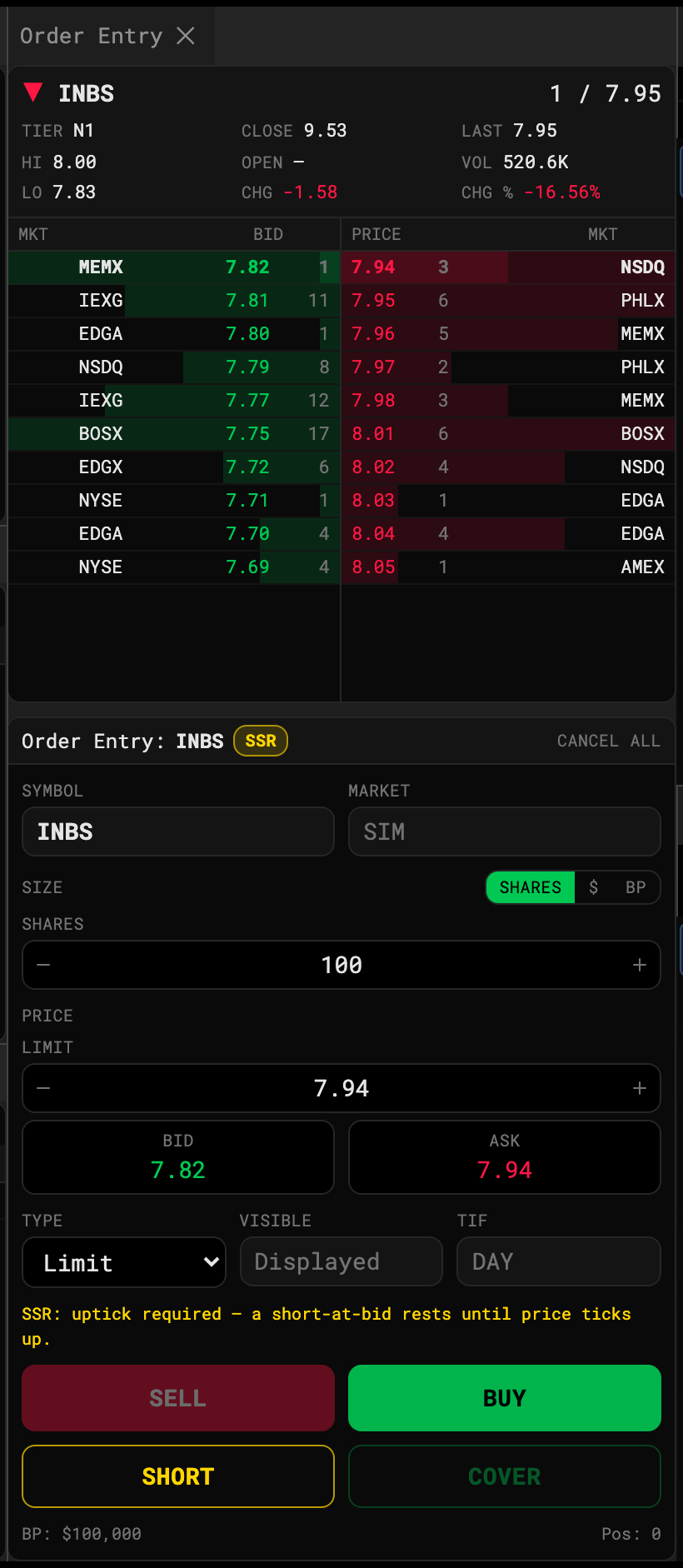
- Size mode
- Limit price
- Bid: load the inside bid
- Ask: load the inside ask
- Order type
- Submit
Fill in the ticket
- Size. Choose Shares, $ (dollar amount) or BP (percent of buying power: 25%, 50%, 75% or Max), then type or step the value. The line underneath shows what it comes to in shares.
- Price. Type a limit price, or click the Bid or Ask box to anchor the limit to the inside quote. While anchored, the limit follows that side as it moves, and Offset (ticks) puts it a number of ticks away. Click customize to go back to a typed price. The steppers move one tick, down to $0.0001 on sub-penny names.
- Type. Limit, Market, Stop, Stop Limit or Trailing Stop. TIF is always DAY — the session is one day.
- Press Buy or Sell. Short and Cover are for short positions — see Short selling and locates.
The line above the buttons tells you what’s missing (“Enter a limit price”) or what the order will cost.
After you press
The order shows in Orders as pending while its latency elapses, then working, then filled / partial / cancelled / rejected. Cancel All at the top of the ticket, or Esc, cancels everything working.
Loading prices from Level 2
Click any row in the Level 2 ladder to load its price into the ticket: the bid side arms Sell, the ask side arms Buy. You can also click empty chart space to load that price — see Trade from the chart.
Rejections
The desk rejects like a broker would: no NBBO yet, not enough buying power, selling more than you hold, or an invalid price — including one that isn’t a multiple of the tick, which is refused rather than rounded. The reason shows as a toast and in the Orders row.
Forex, gold and silver, futures
These desks have no Level 2, so a quote board sits above the ticket instead. See The top-of-book quote board.